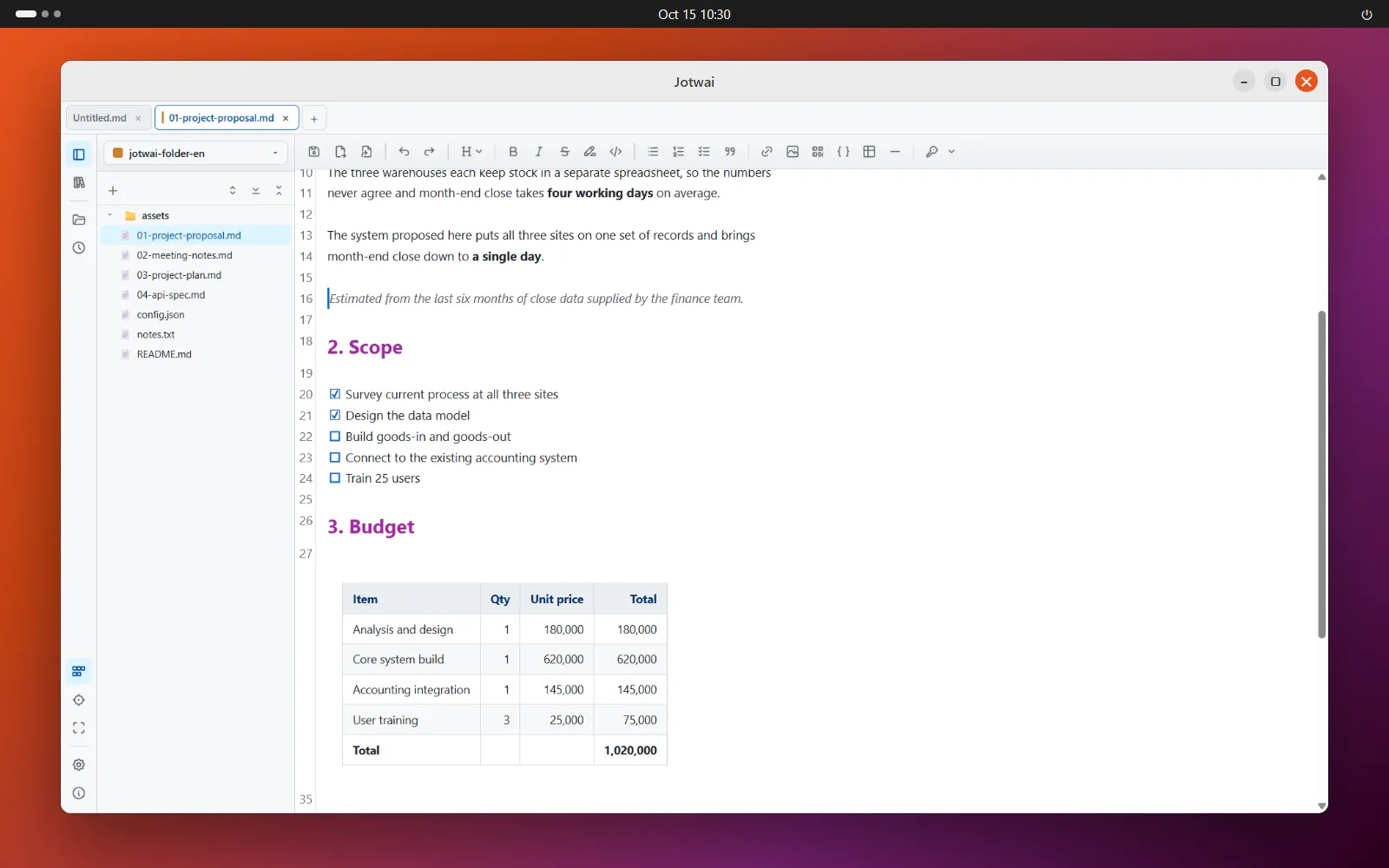
Turn raw AI text into a document you can send, right on your own machine
-
The AI's answerRaw text copied from the chat
-
Edit in JotwaiSee the real document as you type
-
Send it onA PDF or Word file anyone can open
- Runs on your machineOpens fast, works offline, and your files never get uploaded anywhere.
- Get it out of the chatMarkdown or HTML from AI, laid out and edited properly in one place.
- Edit it, send itWork on the file you already have, export, and anyone can open the result.
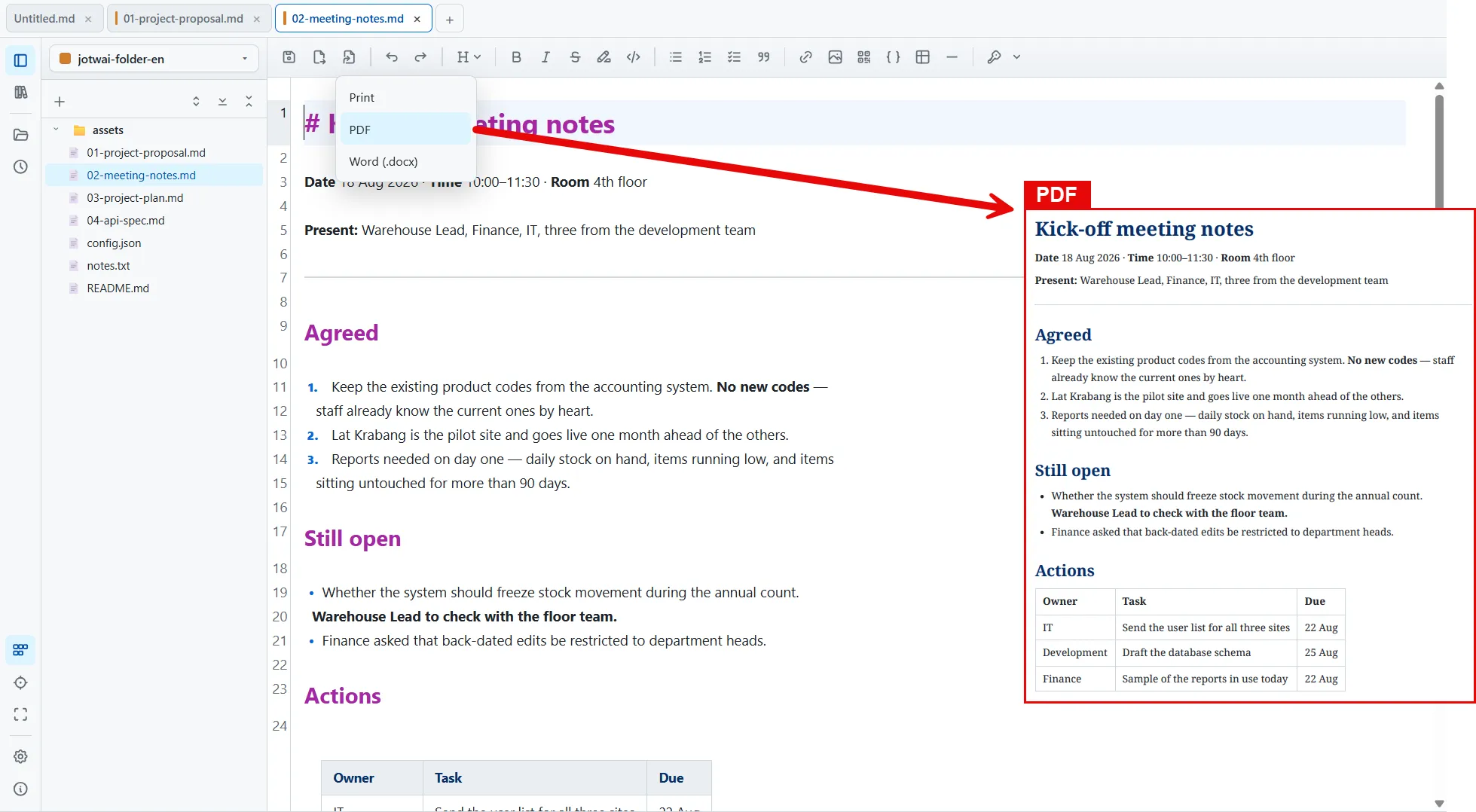
Diagrams, tables and code render as you type
Copy text from anywhere and a shortcut adds it to the end of the open file, without taking you out of the window you're working in.
Text from a web page arrives as Markdown, and images paste straight in.
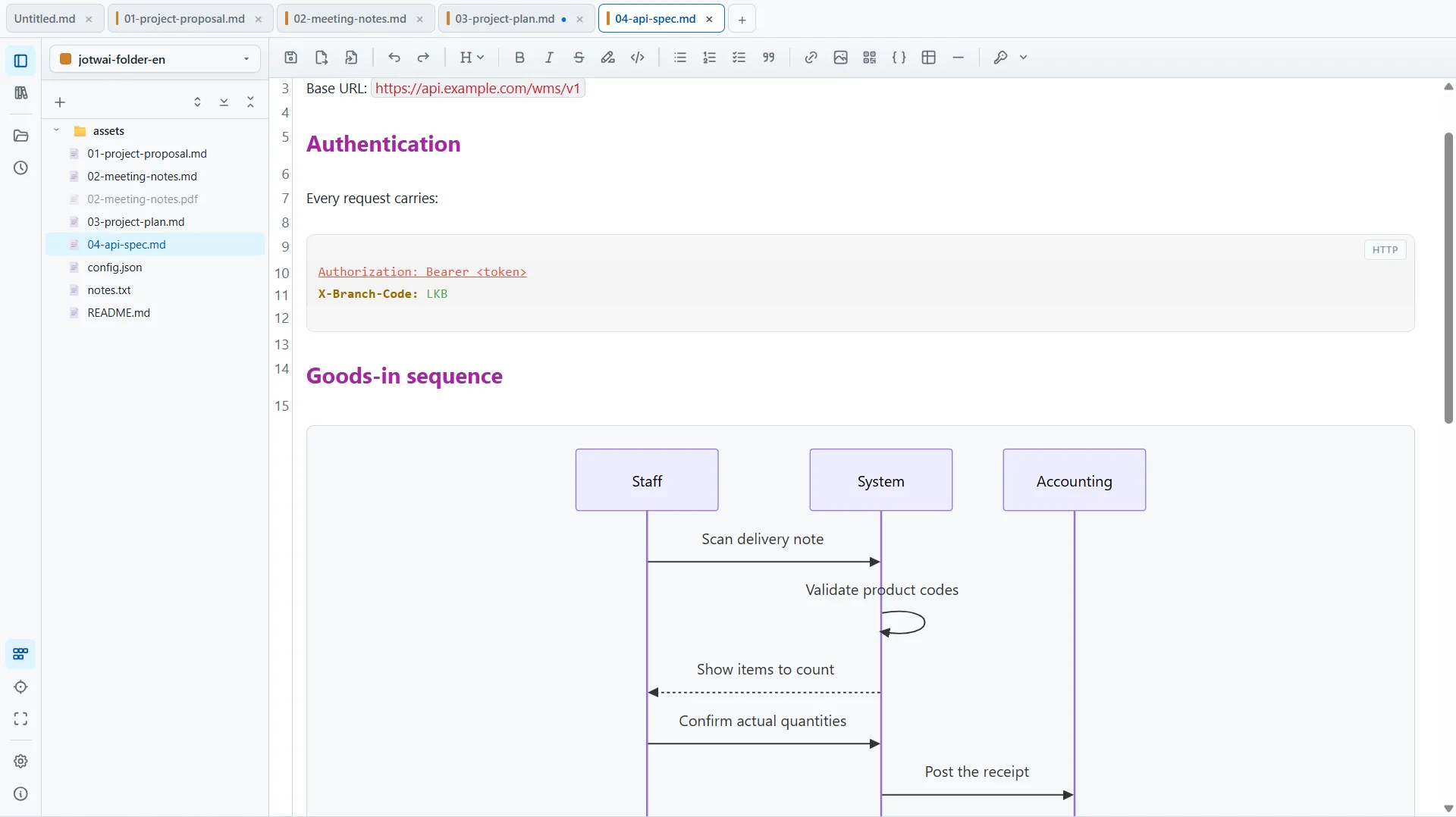
A plan that is still a .md file
A Gantt chart is built in. Drag to change dates and set your team's own holidays. The file still opens anywhere, and it still goes in git.
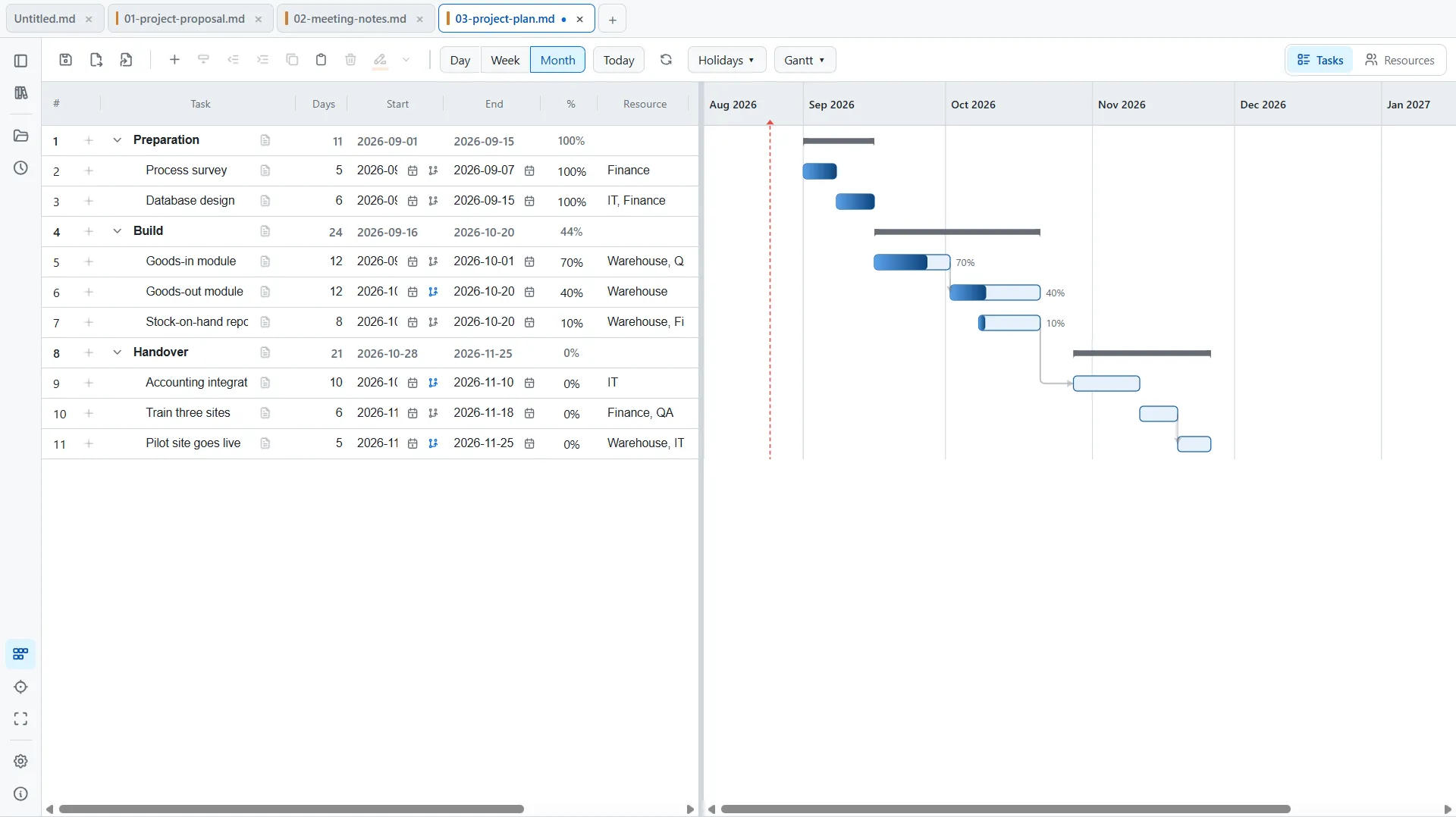
One click, and it's ready to send
Make a PDF or Word file right inside the app. Your work never goes up to a converter site.
-
Markdown and HTML
The two formats AI hands you most. Open, edit and preview both in one app.
-
Open it where it sits
No importing, no folders to set up. Double-click the file and keep typing.
-
PDF and Word, one click
Send your work to people who can't open a .md file. No converter site needed.
-
Paste arrives as Markdown
Copy from a web page or a chat and paste. You get tidy Markdown, not messy code.
-
Plans and Gantt charts
Drag to move dates and set your team's own holidays. It's still a plain .md file.
-
Your files stay yours
No account, no forced cloud. Your Knowledge Base can sync through your own Google Drive.
More on the way. The app lets you know when a new version is ready. See what's new